

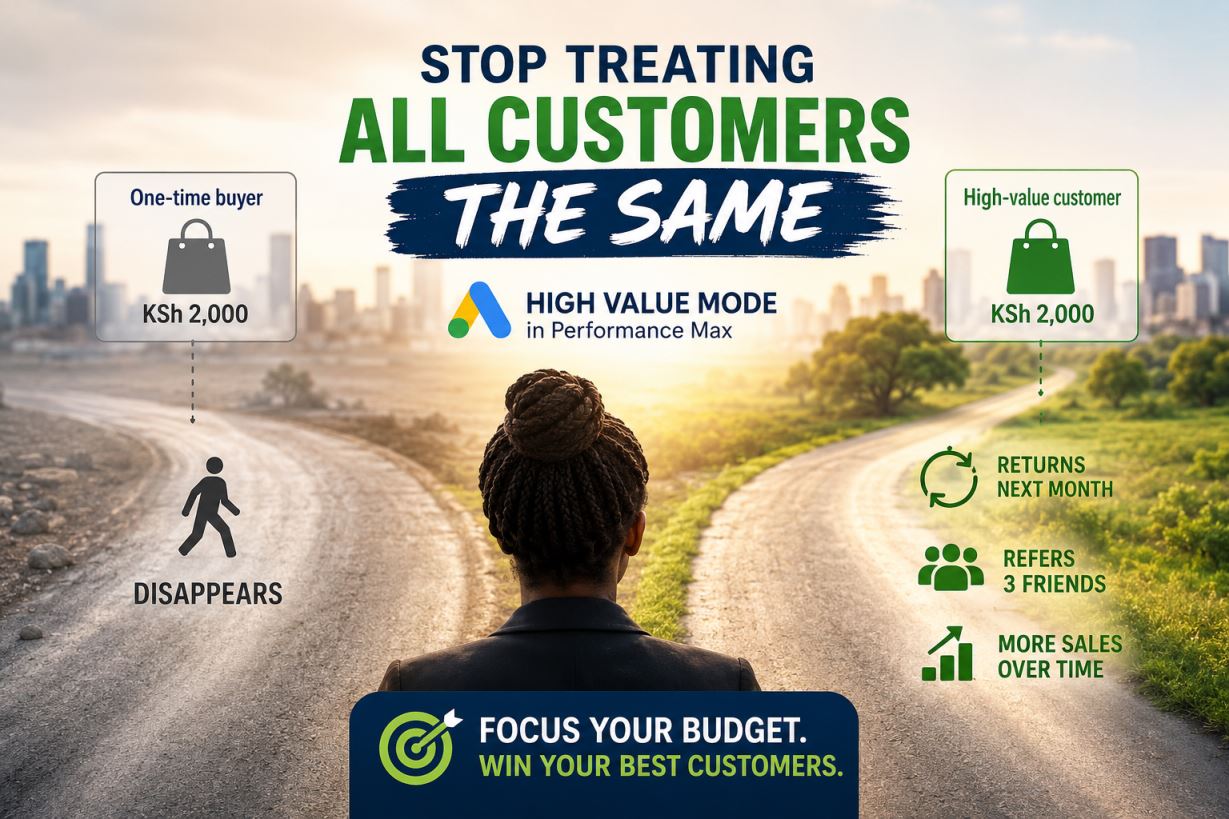
Two customers buy from your shop today. One spends KSh 2,000 and disappears. The other spends KSh 2,000, comes back next month, and refers three friends. Same sale, wildly different value, but a standard Google Ads campaign treats them identically.
High Value Mode in Performance Max exists to fix exactly this. It’s a setting inside Google’s new customer acquisition goal that lets you set different bidding priorities for high-value new prospects, regular new customers, and existing customers. In plain language: you tell Google what your best customers look like, and Google spends more aggressively in ad auctions where the person on the other side resembles them.
That’s the promise. Here’s the catch, and most articles skip this, and this is that High Value Mode is a data feature disguised as a bidding feature. Turn it on with weak data and nothing happens. Feed it clean data and it becomes one of the most profitable switches in your account.
Let’s walk through both halves.
What is Performance Max actually doing when you switch this on?
Performance Max is Google’s all-in-one campaign type: it runs your ads across Search, YouTube, Gmail, Maps, and Display from a single campaign, using machine learning to decide where your budget works hardest.
By default, it chases any conversion. The new customer acquisition goal narrows that. It started as a simple choice: bid higher for new customers while still driving purchases from all customers, or bid only for new customers. High Value Mode is the newest layer on top.
Here’s the three-tier logic in a sentence each:
- Existing customers get normal bids since you already have them.
- Regular new customers get a boost because growth matters.
- High-value new customers get the biggest boost. Now these are the people who look like your repeat buyers, your bulk orderers, your loyal clients.
How does Google know who’s new? By default it looks at 540 days of your account’s conversion history and builds a list of returning customers; anyone who hasn’t purchased in that window counts as new. You can sharpen this with your own uploaded customer lists, and for High Value Mode, you must.
Why “high value” only works if you define it first
This is where most setups die quietly.
Google can’t guess which of your customers are valuable. You have to show it. Google’s own guidance is to use your own observations to differentiate high-value customers, for example, customers who buy twice as much as everyone else. For a Nairobi furniture maker, that might be corporate clients who order in bulk. For a tour operator, it’s the traveller who books a 7-day package instead of a day trip.
The setup then asks two things of you. You define an incremental conversion value, the extra amount a high-value customer is worth to you, and you add an audience segment of your current high-value customers, with at least 1,000 active users.
Read that last requirement again. A list of at least 1,000 high-value customers. If you’re a small business with 200 lifetime customers, this feature isn’t for you yet, and any agency telling you otherwise is selling you a switch that does nothing.
That’s not a reason to close this tab, though. It’s a reason to start collecting.
The List–Label–Lift framework
Here’s the mental model I use with clients, in three steps:
- List. Build and maintain a customer list, names, emails, phone numbers from your M-Pesa records, POS system, or booking sheet, uploaded to Google Ads as Customer Match. Segment out your best buyers into their own list. No list, no High Value Mode. This is the unglamorous 80% of the work.
- Label. Put a shilling figure on what a high-value customer is worth beyond a normal one. If your average customer spends KSh 3,000 once and your best customers spend KSh 3,000 four times a year, the incremental value is roughly KSh 9,000. Be honest here, this number steers real money.
- Lift. Only now do you flip the switch. Smart Bidding takes the value you’ve specified and bids more aggressively to acquire customers who match, while still optimizing total conversion value. Google does the lifting; you did the thinking.
Most guides start at step 3. That’s backwards, and it’s why so many advertisers test this feature, see nothing, and conclude it’s hype.
The reporting trap nobody warns you about
One honest caution before you set a big incremental value.
The extra value you assign to new customers gets added to your reported conversion value. If you tell Google a new customer is worth an extra $100 and you get a $200 sale, Google reports $300 in revenue, that extra $100 is a fictional reporting value, not real money, and it will inflate your ROAS and distort target ROAS bidding.
Translation for your Monday reports: your dashboard will look better than your bank account. Either keep the incremental value modest, or make sure whoever reads your reports knows the number includes Google’s bonus math. If your accountant and your ads dashboard disagree, the accountant is right.
Should a Kenyan SME actually use this?
Frank answer: it depends on which of these three profiles you fit.
- You sell online with purchase tracking and have 1,000+ known good customers. This feature was built for you. It runs on purchase conversion goals, and you have the data to feed it.
- You run lead generation for quotes, bookings, WhatsApp enquiries. High Value Mode is purchase-focused. Your better fit is the standard new customer acquisition goal, using New Customer Only Mode, recommended if you have strict acquisition budgets or non-purchase goals like lead generation.
- You’re spending under roughly KSh 150,000 a month or have thin conversion data. Skip it for now. Spend the next six months building your customer list and cleaning your conversion tracking instead. That work compounds; a premature toggle doesn’t.
Also worth knowing: the goal won’t optimize for sensitive categories like alcohol or medical products because those conversions get classified as “unknown.”
The real lesson hiding inside this feature
High Value Mode is Google admitting something SME owners have always known: revenue and good revenue are different things. A campaign that maximises sales can still fill your business with one-time bargain hunters.
But here’s the part that matters for you: Google gives everyone the same switch. Your competitors in Nairobi, Mombasa, and Kisumu can all turn it on tomorrow. What they can’t copy is your customer data, your definition of a valuable customer, and a tracking setup that feeds the machine clean signals.
The switch is free. The advantage is in the setup, and nobody sets it up for you.
That’s the part we do. If you’re spending KSh 500k+ a month on marketing and you’re not sure whether your Google Ads account is chasing customers or chasing the right customers, Web Focus Solutions will audit your conversion tracking, customer lists, and campaign goals, and tell you honestly whether High Value Mode belongs in your account yet. Call us and we’ll look at your account together.
Frequently Asked Questions
What is High Value Mode in Performance Max?
It’s a bidding option within Google’s new customer acquisition goal that lets Performance Max bid more aggressively for new customers who resemble your most valuable existing customers, based on customer lists and an incremental value you define.
What do I need before I can use it?
Purchase conversion tracking, an incremental conversion value for high-value customers, and an uploaded audience segment of your current high-value customers, with at least 1,000 active users.
Does High Value Mode work for lead generation businesses?
Not really, it’s tied to purchase conversion goals. Lead-generation businesses should look at New Customer Only Mode within the standard acquisition goal instead.
Will it increase my ROAS?
Your reported ROAS will likely rise partly because the incremental value is added to reported revenue. Judge success by actual repeat purchase rates and revenue in your books, not the dashboard alone.
How does Google tell new customers from existing ones?
Through your uploaded Customer Match lists, conversion tag data, or automatic detection based on 540 days of your account’s purchase history.